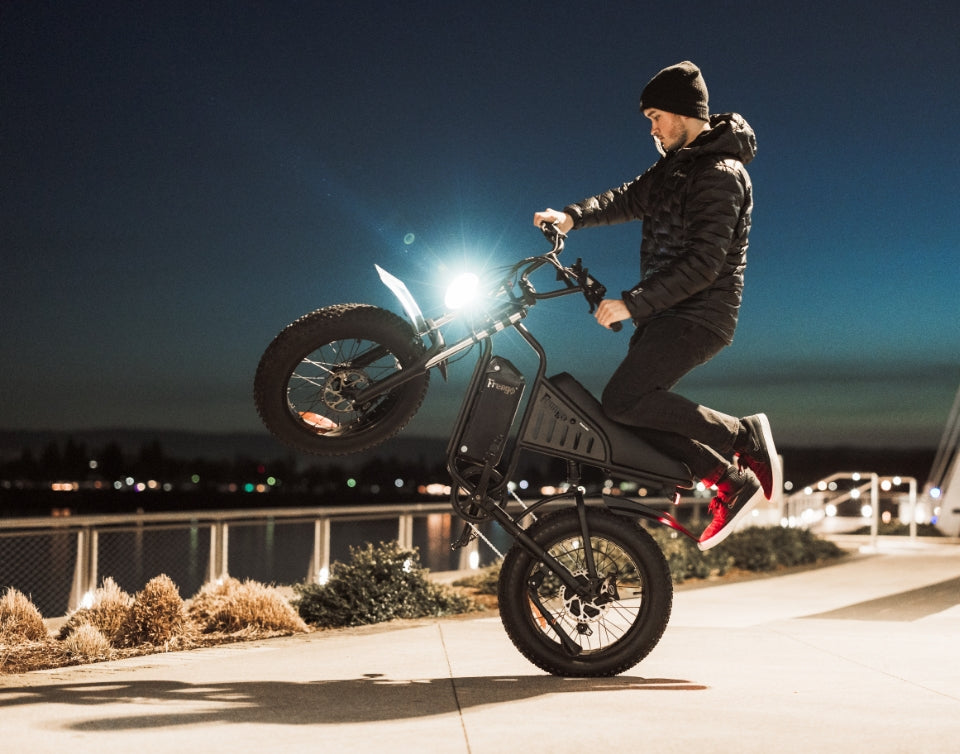


Freego X2 Pro Maintenance Tips: Brakes, Chain, Tires, and First-Ride Safety Checks
Regular Freego X2 Pro Maintenance is one of the best ways to keep your electric dirt bike running safely and smoothly for years to come. But what should you actually check, and how often? This guide covers the most important checks before every ride, what to do after riding in wet or muddy conditions, routine maintenance, common problems, and when it is better to ask for professional help.
Freego X2 Pro Maintenance
Before Every Ride: Safety Check
Before taking your X2 Pro out, take a few minutes for some Freego X2 Pro maintenance to make sure everything is working as it should.
- Brakes: Test both brake levers and make sure they engage normally and stop the bike firmly. Check the brake pads, rotors, calipers, and caliper mounting bolts for visible wear, damage, or looseness. Also look for any signs of a hydraulic leak.
- Tires and wheels: Check that the tires are properly inflated and look for cuts, punctures, embedded objects, or other damage. Make sure the wheels and axles are secure and check for loose spokes, damaged rims, or noticeable wobbling.
- Throttle and controls: Twist the throttle and make sure it moves smoothly and returns fully and promptly to the idle position when released. Check the display and mode controls and make sure they respond normally. If an error code appears, do not ignore it.
- Chain and sprocket: Make sure the chain is properly seated and runs smoothly through the drivetrain. Look for excessive dirt, wear, damage, or stiff links, and check the sprocket and chainring teeth for obvious signs of wear.
- Axles, frame, handlebars, and suspension: Check the motor and rear-wheel axle fasteners, handlebars, and frame for looseness or damage. Take a look at the suspension forks, rear shock, seals, and mounting hardware as well. After a hard off-road impact, pay particular attention to the frame for cracks or other damage.
- Battery and wiring: Check the battery casing and mounting hardware for damage, looseness, or swelling. Inspect the visible connectors, motor cable, controller wiring, charging port, and other electrical connections for damage or wear.
If anything that is important to your safety is damaged, loose, leaking, or not working normally, do not ride until the issue has been addressed. If everything looks good, your X2 Pro is ready to go.
After Wet or Muddy Riding
Start by cleaning the bike with a damp cloth and letting it dry properly. Avoid using high-pressure water around the battery, motor, display, charging port, and electrical connectors.
Once the bike is dry, check the chain, brake rotors, connectors, and suspension for mud, dirt, or moisture. Make sure the visible electrical connections are clean and undamaged before using the bike again.
If you notice damaged wiring, loose connectors, unusual electrical behavior, or another problem after riding through water or mud, stop using the bike and seek professional assistance.

Routine Freego X2 Pro Maintenance
A simple Freego X2 Pro maintenance routine makes it easier to keep track of what needs to be checked and when.
1. Weekly Maintenance
Regular Freego X2 Pro maintenance can help you notice signs of wear or damage early.
- Chain and rear sprocket (single‑speed drivetrain): Inspect the chain and rear sprocket/cassette for dirt, wear, damage, or stiff links. Keep the chain clean and lightly lubricated with a bicycle‑appropriate chain lubricant. Apply a small amount directly to the chain while slowly turning the rear wheel, then wipe off excess. Do not get lubricant on the brake rotors or pads.
- Brake system (hydraulic disc brakes): Check the brake levers and calipers for visible damage, leaks, or unusual movement. Make sure the brakes engage firmly and the bike stops properly. Listen for grinding or rubbing that could indicate worn pads or contaminated rotors. Do not apply lubricant to the brake pads or rotors.
2. Monthly Maintenance
Give the shift levers a closer look once a month and make sure they are working smoothly. Check for stiffness, looseness, unusual noises, difficulty shifting, or signs of dirt or damage.
The recommended maintenance for the shift levers involves lubrication and disassembly, so we recommend having this service performed by Freego Support or a qualified bike mechanic.
3. Maintenance Every 6 Months
- Chain tension and alignment: Check that the chain runs straight between the front chainring and rear sprocket and that there is no excessive slack or tight spots.
- Throttle, brake levers, and display controls: Make sure the throttle returns fully and promptly to the idle position when released. Check that brake levers move smoothly without sticking and that the display and mode buttons respond normally.
- Bolts and fasteners (quick check): Visually inspect handlebar, stem, motor axle, and rear axle fasteners for obvious looseness. If you are not sure how to check or torque these correctly, have a qualified mechanic inspect them.
Any service that requires disassembly of the motor, controller, or electrical system should be performed by Freego Support or a qualified bike mechanic.
4. Yearly Maintenance
Once a year, your X2 Pro should receive a more thorough inspection and maintenance of several key components:
- Bottom bracket (if equipped)
- Pedals
- Wheel bearings and headset
- Seat post and frame contact points
- Full brake system inspection (pads, rotors, hydraulic lines, lever feel)
- Suspension service (forks and rear shock seals, bushings, and mounting hardware)
This part of Freego X2 Pro maintenance requires partial or complete disassembly and proper grease and torque specifications. Because of the bike’s weight, speed, and electrical components, we strongly recommend having these services performed by Freego Support or a qualified bike mechanic rather than attempting the work at home.
Troubleshooting Common X2 Pro Problems
Even with regular Freego X2 Pro maintenance, you may occasionally notice a change in how your bike feels, sounds, or performs.
1. Squeaky Brakes
Squeaky brakes can be caused by worn brake pads, incorrect pad alignment, dirty or wet braking surfaces, or loose brake components.
Check the brake pads and braking surfaces for visible wear or debris, and make sure the brakes engage as expected. Never apply lubricant to the brake pads or rotors.
If the brakes stay noisy, appear worn, or do not stop the bike properly, stop riding and have the brake system checked by a qualified professional.
2. Slipping Chain
A worn chain or chainring, stretched chain links, or a stiff link can cause the chain to slip.
Check the chain for visible wear, damage, or stiff links. Make sure it is properly seated and running smoothly through the drivetrain. Keeping up with regular Freego X2 Pro maintenance can also help reduce unnecessary wear.
If the chain continues to slip, or the chain, chainring, or gear teeth look worn or damaged, have the drivetrain checked by a qualified bike mechanic.
3. Flat Tire
A flat tire can be caused by a damaged inner tube, a punctured or worn tire, low tire pressure, or an issue with the rim or spokes.
Start by checking the tire pressure and looking for punctures, cuts, embedded objects, or other visible damage. Make sure the tire is properly seated on the rim. If the inner tube is damaged, replace it.
If the tire keeps losing air after a repair, or you find damage to the rim or spokes, contact Freego Support or take the bike to a qualified bike shop.
4. Wheel Wobble
A loose component, incorrectly aligned wheel, or an issue with the axle, hub, or bearings can cause a wheel to wobble.
Check that the wheel is securely attached and look for obvious looseness or damage. Rotate the wheel and see if it visibly moves from side to side.
If the wheel remains unstable or the problem involves the axle, hub, bearings, or wheel alignment, stop riding until the issue has been checked by a qualified professional.
5. Unusual Noises
If you hear an unusual noise, first pay attention to when it happens. Does it occur while pedaling, shifting, braking, or coasting?
Check around the chain, pedals, derailleur, and other moving components for visible dirt, damage, or looseness. Clicking or grinding while pedaling can be a sign that something is not moving smoothly.
If you cannot identify the source of the noise, or if it comes with vibration, looseness, or a change in performance, have your X2 Pro checked before continuing to ride.
6. Electrical, Motor, or Throttle Problems
If your display shows an error code, the throttle does not return normally, the motor behaves unexpectedly, or you notice damaged wiring or electrical connectors, stop riding and contact Freego Support for assistance.
Do not attempt to open, repair, or modify the battery, motor, controller, charger, or wiring yourself.
When to Stop Riding
Not every problem should be put off until your next Freego X2 Pro maintenance check. Stop riding your X2 Pro and seek professional assistance if you notice:
- Reduced or unreliable braking
- A hydraulic brake leak
- Significant wheel or axle looseness
- Frame cracks or suspension damage
- Battery swelling, smoke, excessive heat, or a burning smell
- Persistent electrical, motor, throttle, or controller problems
Some basic Freego X2 Pro maintenance can be done at home, but repairs involving electrical components or work that requires significant disassembly should be left to a qualified technician. Freego's guidance specifically recommends against opening, modifying, repairing, or lubricating the battery, motor, controller, wiring harness, or charger yourself.
When something does not feel right, it is always better to stop and get it checked than to risk turning a small problem into a bigger one.
For more troubleshooting and Freego X2 Pro maintenance tips, visit the Freego Bikes YouTube channel and check out our troubleshooting playlist.