

Freego X2 Pro Error Codes: Battery & Motor Fixes
Share
Freego X2 Pro error codes: what they mean
A Freego X2 Pro that will not turn on, cuts out while riding, will not charge, or shows an error code can be frustrating—especially when the bike otherwise appears to be in good condition. Fortunately, most electrical issues can be traced systematically to one of a few areas: the display, battery, charger, motor, throttle, controller, brake sensors, or connecting cables.
This guide explains the most common Freego X2 Pro error codes and related power problems in clear English. It is based on the troubleshooting chart for the X2 Pro display system, with translations corrected for clarity. For example, the original term “meter” refers to the bike’s display, dashboard, or instrument panel.
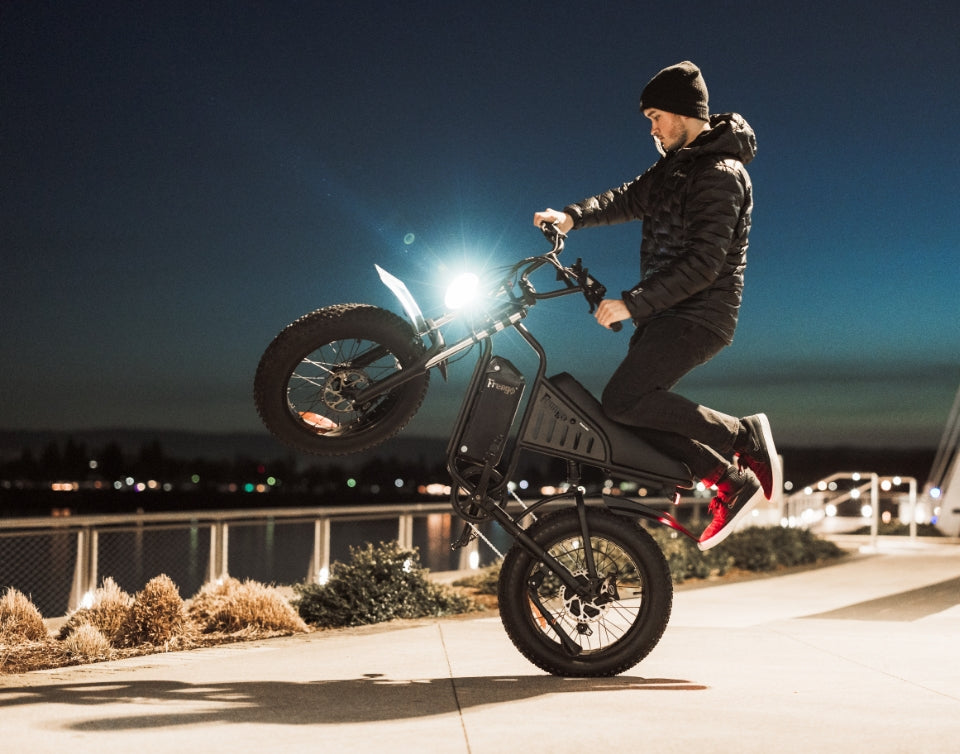
Freego positions the X2 Pro as a high-power performance e-bike rather than a conventional low-speed commuter bike. Our official site lists it with up to 6,000W of motor power, a claimed top speed of 50 mph, and a maximum range of 56 miles. That level of power means sound wiring, battery connections, and brake safety systems are particularly important.
Important safety warning: Turn the bike off and disconnect the charger before inspecting cables or connectors. Do not open, puncture, short-circuit, or attempt to repair the lithium battery pack internally. If the battery is swollen, leaking, hot, damaged, or smells unusual, stop using the bike immediately and contact Freego support or a qualified e-bike technician.
What to check first
Before replacing parts, perform a quick visual inspection. Many Freego X2 Pro error codes are caused by a loose connector, damaged cable, moisture, or a plug that has worked loose from vibration.
You will usually need:
- A digital multimeter capable of measuring DC voltage.
- A flashlight.
- Basic screwdrivers or hex keys for access panels.
- The correct Freego-compatible charger.
- A clean, dry workspace.
- Safety glasses and insulated gloves when working near high-voltage battery wiring.
Start with these simple checks:
- Confirm that the battery is switched on.
- Make sure the charger is disconnected before powering on the bike.
- Check that the display cable is fully connected.
- Inspect the motor cable near the rear wheel and axle.
- Inspect the battery connector and controller connectors.
- Look for crushed, cut, frayed, wet, burnt, or melted wires.
- Ensure the brake levers are fully released.
- Restart the bike after checking every connector.
For more preventive maintenance tips, check out our guide on how to maintain your Freego E-Bike battery.
Freego X2 Pro error codes table
| Error code | Correct English meaning | Likely cause | First checks |
|---|---|---|---|
| E02 | Brake fault | Brake cut-off sensor, brake lever, or brake wiring issue | Inspect brake levers, brake cables, and connectors |
| E06 | Battery undervoltage | Low battery voltage, weak battery, charger issue, or loose power connection | Charge battery and measure battery voltage |
| E07 | Motor fault | Damaged motor wire, loose motor plug, Hall sensor issue, or motor failure | Inspect rear motor cable and connector |
| E08 | Throttle fault | Throttle signal issue, damaged throttle wire, or stuck throttle | Check throttle movement and handlebar wiring |
| E09 | Controller fault | Controller fault, power wiring issue, or damaged connector | Inspect controller, battery leads, and motor wiring |
| E10 | Communication fault | Display-to-controller communication problem | Check display cable, controller plugs, and main wiring |
The display code is a starting point, not always a final diagnosis. For example, E07 may indicate a motor issue, but it can also be caused by a damaged motor cable or corroded connector. Likewise, E09 may identify a controller-related problem even when the actual issue is a loose battery connection.
E02: Brake fault on the Freego X2 Pro
An E02 code usually means the controller detects a brake signal when it should not. The X2 Pro uses brake cut-off sensors as a safety system. When you pull a brake lever, the controller should stop motor power. If a brake sensor stays active, the bike may not accelerate, may lose power, or may show an error.
How to troubleshoot E02
- Turn off the Freego X2 Pro.
- Check that both brake levers return fully after being released.
- Inspect each brake lever for damage, stiffness, or a lever that does not spring back normally.
- Follow the brake sensor cable from the lever toward the frame.
- Look for pinched, stretched, cut, or exposed wires.
- Check the brake-sensor connectors for loose plugs, bent pins, moisture, or corrosion.
- Restart the bike and see whether E02 returns.
If the error occurs after a fall, handlebar impact, or cable snag, pay close attention to the brake lever area and the wiring near the steering tube. A brake sensor cable can be damaged internally even if the outer insulation appears normal.
Do not permanently disconnect or bypass the brake cut-off feature just to remove the error. At the performance level of the Freego X2 Pro, reliable brake-motor cut-off is an important safety function.
E06: Battery undervoltage
E06 is one of the most important Freego X2 Pro error codes because it relates to battery voltage. It appears when the battery voltage is too low or when the system detects that the battery cannot supply the voltage it expects. Always verify the battery’s exact voltage specification from the battery label before taking measurements, because voltage varies with charge level and the battery configuration.
What causes E06?
- The battery is simply discharged.
- The charger is not charging correctly.
- The battery connector is loose or corroded.
- The main power cable is damaged.
- The battery has aged or has failed cells.
- The battery-management system has entered a protection mode.
- Voltage drops excessively when the motor demands high current.
How to troubleshoot E06
- Turn the bike off.
- Connect the official or correctly specified charger.
- Check the charger’s indicator light.
- Allow the battery to charge for the normal recommended period.
- Disconnect the charger and restart the bike.
- If E06 remains, measure the battery’s output voltage with a multimeter.
- Inspect the battery connector, controller power connector, and main wiring for heat damage or looseness.
A battery can show acceptable voltage with no load and still fail during hard acceleration or hill climbing. If the display shuts down or E06 appears mainly under heavy throttle, the battery may be experiencing voltage sag, a weak connection, or an internal battery problem.
Never short the battery terminals with tools or wires. If you are uncertain about measuring battery voltage safely, use a professional e-bike service technician.
E07: Motor fault
An E07 code identifies a possible motor problem. On the Freego X2 Pro, this may involve the rear hub motor, motor phase wiring, Hall sensor wiring, controller output, or motor connector.
Before assuming that the motor itself has failed, inspect the cable running from the rear wheel toward the controller. The motor cable is especially vulnerable where it exits the wheel axle because it moves with the suspension and can be exposed to dirt, water, impacts, or tire-related damage.
How to troubleshoot E07
- Switch the bike off and unplug the charger.
- Inspect the rear motor cable from the wheel axle to the frame.
- Check for cuts, flattened sections, abrasions, exposed conductors, or melted insulation.
- Inspect the motor connector for dirt, moisture, corrosion, bent pins, or a loose connection.
- Confirm that the rear wheel turns freely with the bike off.
- Reconnect the plug firmly and restart the bike.
- If the code remains, have the motor phases, Hall sensors, and controller output professionally tested.
If the motor cable is visibly damaged, do not ride the bike. A damaged motor lead can cause intermittent power loss, controller damage, or a complete loss of drive.
E08: Throttle fault
An E08 code points to a throttle or accelerator signal issue. The controller may be receiving an abnormal throttle voltage, may not detect the throttle, or may detect that the throttle is engaged during startup.
How to troubleshoot E08
- Release the throttle fully.
- Turn the bike off.
- Check whether the throttle moves smoothly and returns to its rest position immediately.
- Inspect the throttle cable around the handlebar and steering area.
- Look for tight bends, pinched cables, damage from turning the handlebars, or a loose connector.
- Turn on the bike without touching the throttle.
- Test cautiously in a clear area only after the error is gone.
A throttle that sticks, feels gritty, fails to return, or causes the motor to engage unexpectedly should be replaced. Do not continue riding with an unpredictable throttle response.
The handlebars and steering tube are common locations for cable wear because the wires flex whenever the bars are turned. If E08 appears only when turning left or right, inspect the cable bundle around the steering stem carefully.
E09: Controller fault
E09 is generally a controller-related error. The controller manages power from the battery to the motor and receives input from the display, throttle, brakes, and other sensors. Because it connects so many systems, an E09 code does not automatically prove that the controller must be replaced.
Check these components first
- Battery positive and negative terminals.
- Main battery-to-controller connector.
- Motor phase wires.
- Motor Hall-sensor connector.
- Display communication cable.
- Throttle and brake-sensor plugs.
- Controller housing for water, corrosion, heat damage, or a burnt smell.
If the controller is visibly burned, has melted wires, or smells electrically burnt, stop using the bike and arrange replacement through Freego or a qualified repair provider. Do not install a new controller until the motor and wiring have been checked, because a shorted cable or defective motor can damage the replacement controller.
Our limited warranty covers the controller for one year, while the frame and stem have a two-year coverage period; confirm your purchase date, model details, and current warranty terms with Freego support before ordering parts.
E10: Display communication fault
E10 means the display is not communicating properly with the controller or another connected component. In the original fault chart, the likely areas are the display cable, main wiring harness, controller, and battery connection.
How to troubleshoot E10
- Turn off the bike and disconnect the charger.
- Inspect the cable that runs from the display toward the frame.
- Check the cable bundle at the handlebars and steering stem.
- Disconnect and reconnect the display connector carefully.
- Inspect the connector pins for moisture, dirt, corrosion, bending, or damage.
- Check the controller-side wiring connectors.
- Confirm that the battery connection is secure.
- Restart the X2 Pro and check for the code again.
E10 can happen after riding in heavy rain, washing the bike too aggressively, or experiencing an impact to the handlebars. Allow wet electrical connectors to dry fully before reconnecting them.
Never apply battery voltage directly to the display communication connector. The display and controller use low-voltage communication circuits that can be damaged by incorrect testing.
Freego X2 Pro shuts off while riding
If the display and bike lose power while riding, first determine whether the display turns completely black or stays on while motor power disappears.
If the display turns off completely
Check:
- Battery power switch.
- Battery charge level.
- Battery connector.
- Main wiring harness.
- Controller power connection.
- Display power cable.
- Battery-management-system protection.
A sudden total shutdown over bumps often suggests a loose battery connection, loose main cable, or an intermittent power switch problem.
If the display stays on but the motor stops
Check:
- Brake levers and brake cut-off sensors.
- Throttle and throttle connector.
- Motor cable.
- E07, E08, or E09 error codes.
- Controller temperature and overheating signs.
A motor that stops only under hard acceleration may be experiencing low battery voltage, a weak battery connection, or controller protection. Reduce load and do not continue forcing full throttle until the cause is identified.
Freego X2 Pro display will not turn on
If the display is blank, begin with the simplest possible checks.
Check the battery switch
The battery power switch typically uses the standard symbols:
- “I” means on
- “O” means off
Make sure the switch is in the on position before attempting to power up the display.
Listen for startup feedback
Press the power button and listen for a startup sound or beep. If there is no display, no sound, and no other sign of power, the issue may be the battery, main power wiring, power switch, fuse, controller, or display connection.
Measure battery voltage
If you have the proper training and tools, measure battery voltage at the correct output terminals. A battery with no output may be disconnected, switched off, depleted, or in a battery-management-system protection state.
If the battery has normal output voltage but the display remains blank, inspect the display wiring and controller power supply before replacing the display.
Freego X2 Pro will not charge
A charging fault can come from the charger, wall outlet, charging port, wiring, battery-management system, or battery itself.
Check the charger indicator
Connect the charger to a known-working wall outlet and observe its light. Then connect it to the bike and see whether the indicator changes as expected.
If the charger remains green when connected to a low battery, it may not be delivering charging current. However, the issue could also be the bike’s charging port, a loose connector, or a battery that is refusing a charge.
Inspect the charging port
Check for:
- Bent pins.
- Dirt or debris.
- Corrosion.
- Moisture.
- A loose port housing.
- Heat marks, melted plastic, or a burnt smell.
Never force the charger plug into the port. Do not charge the bike when the charging port, battery area, or charger connector is wet.
Confirm battery voltage
If possible, compare battery voltage before and after charging. If voltage does not increase after a normal charging attempt, the charger, charging port, battery wiring, battery-management system, or battery may require service.
For battery safety information and consumer-product recalls, you can also consult the U.S. Consumer Product Safety Commission.
When to contact Freego support
Contact Freego support rather than continuing DIY diagnosis if:
- The battery is swollen, damaged, hot, leaking, or has a chemical smell.
- Wires are melted, or connectors are burnt.
- The motor cable is damaged at the rear axle.
- The bike displays E09 repeatedly after all connections are checked.
- The bike loses power at speed or under acceleration.
- The controller smells burned.
- The charger becomes excessively hot.
- The display, controller, motor, or battery may still be under warranty.
We offer a two-year limited warranty, with separate coverage periods listed for components including the motor, battery, controller, display, throttle, lights, and brakes. Verify the current warranty conditions and your eligibility directly with Freego before ordering replacement parts.
Final Freego X2 Pro checklist
Before returning the bike to regular use, confirm that:
- The display powers on normally.
- No Freego X2 Pro error codes remain.
- The battery is secured and switched on.
- The charger and charging port are functioning normally.
- The throttle returns smoothly.
- Both brake levers fully release.
- Motor wiring is secure and undamaged.
- Display and controller connectors are fully seated.
- No wires are exposed, burnt, wet, or rubbing against moving parts.
- A careful low-speed test ride is completed in a safe area.
The best way to troubleshoot Freego X2 Pro error codes is to start with the visible connections, verify battery voltage, check the display and motor wiring, and only then consider replacing the battery, controller, display, or motor. This method helps avoid unnecessary part replacements and protects the electrical system on a high-performance e-bike.